
7 Steps to Set Up an Ergonomic Outdoor Home Office
Last Updated: October 27, 2026
Quick Summary
An ergonomic outdoor home office combines the right location, proper shade, screen positioning, and heat management so you can work effectively outside. Start by choosing early morning or late afternoon work times, use shade solutions to prevent screen glare, position your screen at eye level, and take regular breaks to protect your eyes and manage heat.
- Work before 10 a.m. or after 3 p.m. to avoid peak sun glare and heat between 10 a.m. and 3 p.m.
- Elevate your laptop so the top of your screen sits at eye level to prevent forward head posture.
- Use a laptop sun shade, desk shade, or portable umbrella to block direct sunlight from your screen.
- Position your elbows at roughly 90 degrees when your arms rest naturally on the desk.
- Take a full break every 90 minutes to step into shade and protect your eyes from fatigue.
Table of Contents
- Why an Ergonomic Outdoor Home Office Matters
- Step 1: Choose Your Location and Time of Day
- Step 2: How to Prevent Screen Glare at Your Workspace
- Step 3: Set Up an Ergonomic Outdoor Desk Setup
- Step 4: Use Portable Shade for Laptop Work
- Step 5: Manage Heat and Monitor Your Device Temperature
- Step 6: Take Strategic Breaks and Protect Your Eyes
- Getting Started With Your Outdoor Office Setup
- Frequently Asked Questions
Why an Ergonomic Outdoor Home Office Matters
Working outside sounds ideal until your screen becomes unreadable and your neck starts hurting by noon. The problem isn't the outdoor setting itself, it's that most people treat outdoor work like indoor work with better scenery. They don't account for sun glare, heat, or the fact that outdoor lighting is fundamentally different from what your body expects indoors.
An ergonomic outdoor home office solves this. It combines the right location, proper shade, screen positioning, and heat management so you can actually focus instead of squinting. According to research on workplace ergonomics from the CDC, poor posture and environmental strain contribute significantly to fatigue and reduced productivity. When you work outside, these factors compound quickly.
The difference comes down to a few specific decisions made before you sit down. This guide walks you through each one.
Why does this matter now? More professionals are working remotely and choosing outdoor spaces for part of their week. But outdoor work has real physical demands. Your screen brightness, your posture, your body temperature, and your eye comfort all change when you move outside. Getting these right isn't optional if you want to work effectively for more than an hour.
Step 1: Choose Your Location and Time of Day
Your location determines everything else. Not all outdoor spaces work equally, and not all times of day are equally productive.
Start by assessing direct sunlight. If you're working in full sun between 10 a.m. and 3 p.m., you're fighting the worst glare of the day. The sun is highest and brightest during these hours, which means:
- Your screen becomes nearly impossible to read
- Heat builds up faster on your device and your body
- Your eyes work harder, leading to fatigue by mid-afternoon
- Shadows shift constantly, making fixed shade solutions less effective
The better choice is early morning (before 10 a.m.) or late afternoon (after 3 p.m.). Your screen remains readable, heat is manageable, and shadows stay relatively stable. If you must work during peak sun, pick a location with natural shade, under a tree, next to a building, or on a covered porch.
Next, evaluate your workspace surface. You need a stable desk or table that won't wobble. Uneven surfaces force your body to compensate, which creates strain even if you don't notice it immediately. A picnic table, patio table, or small folding desk works. The height should allow your elbows to sit at roughly 90 degrees when your arms rest naturally.
Wind matters more than people expect. A gentle breeze feels good. Strong wind makes it impossible to focus and can knock over lightweight equipment. Test your location at the time of day you plan to work. If wind is an issue, position yourself against a wall or building to break it.
Finally, check for reflective surfaces nearby. Water, metal railings, glass windows, and light-colored pavement all bounce sunlight toward you. These create secondary glare sources that shade solutions alone won't fix. Reposition slightly if possible, or plan to add extra shade coverage on that side.
The best outdoor work locations and times depend on sun position, surface stability, and environmental factors.
| Factor | Best Choice | Why It Matters |
|---|---|---|
| Time of day | Before 10 a.m. or after 3 p.m. | Screen readable, heat manageable, stable shadows |
| Peak sun hours | Avoid 10 a.m. to 3 p.m. | Screen glare worst, heat builds fastest, eye fatigue increases |
| Desk surface | Stable table or picnic table | Prevents body strain from compensation |
| Elbow position | Roughly 90 degrees | Reduces shoulder and neck strain |
| Wind conditions | Gentle breeze, avoid strong wind | Strong wind prevents focus and risks equipment |
| Reflective surfaces | Minimize nearby water, metal, glass | Reduces secondary glare sources |
Step 2: How to Prevent Screen Glare at Your Workspace
Screen glare is the single biggest obstacle to outdoor work. Unlike indoor spaces where you control all the light sources, outdoor environments have one massive, moving light source: the sun. Your screen's brightness doesn't stand a chance against direct sunlight.
Glare happens because your monitor emits light while the sun reflects off its surface. Your eyes try to process both at once, making the screen text disappear into brightness. This forces you to squint, increases eye strain, and makes reading nearly impossible.
The solution is blocking light before it reaches your screen. This is different from making your screen brighter, brightness doesn't solve the problem, it just adds more light to the chaos.
Several approaches work:
Use a laptop sun shade. A dedicated shade clips directly to your laptop and blocks sunlight from hitting the screen. The TopShade Laptop Sun Shade opens to 18 × 12 inches and collapses to a 6-inch circle for travel. Its flexible rod can be repositioned to block the sun as it moves.

Position your screen away from direct sun. Angle your monitor so sunlight hits it at an oblique angle rather than head-on.
Create a shade barrier behind your screen. If you're using a monitor on a desk, position a piece of fabric, cardboard, or a small shade panel behind it to block light coming from that direction. This reduces the brightness differential your eyes process.
Use a monitor light bar or desk shade. A mounted shade positioned above your screen blocks direct light while leaving your workspace visible. The TopShade Cubicle & Desk Shade adjusts from 16 to 31 inches high and rotates to fine-tune its position as the light changes through the day. Its 2.2-inch clamp attaches to workstations.

The key is understanding that you're not trying to make your screen brighter, you're reducing the competing light sources so your screen's brightness becomes readable again.
Step 3: Set Up an Ergonomic Outdoor Desk Setup
Your body position matters when setting up an outdoor workspace. Consider ergonomics alongside portability and speed.
TopShade Laptop Sun Shade – Collapsible Clip-On Glare Shield →
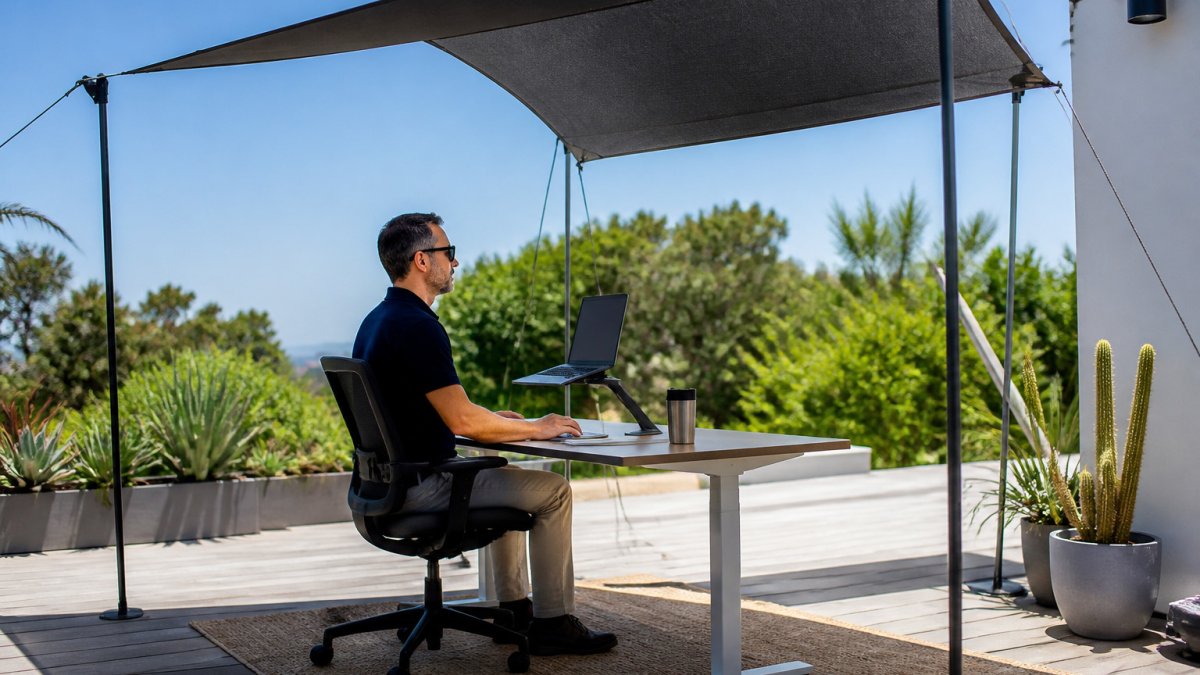
Start with your desk height. Your elbows should sit at roughly 90 degrees when your arms rest naturally on the desk. Your wrists should be straight, not bent up or down. If your desk is too high, your shoulders creep up toward your ears. If it's too low, you hunch forward.
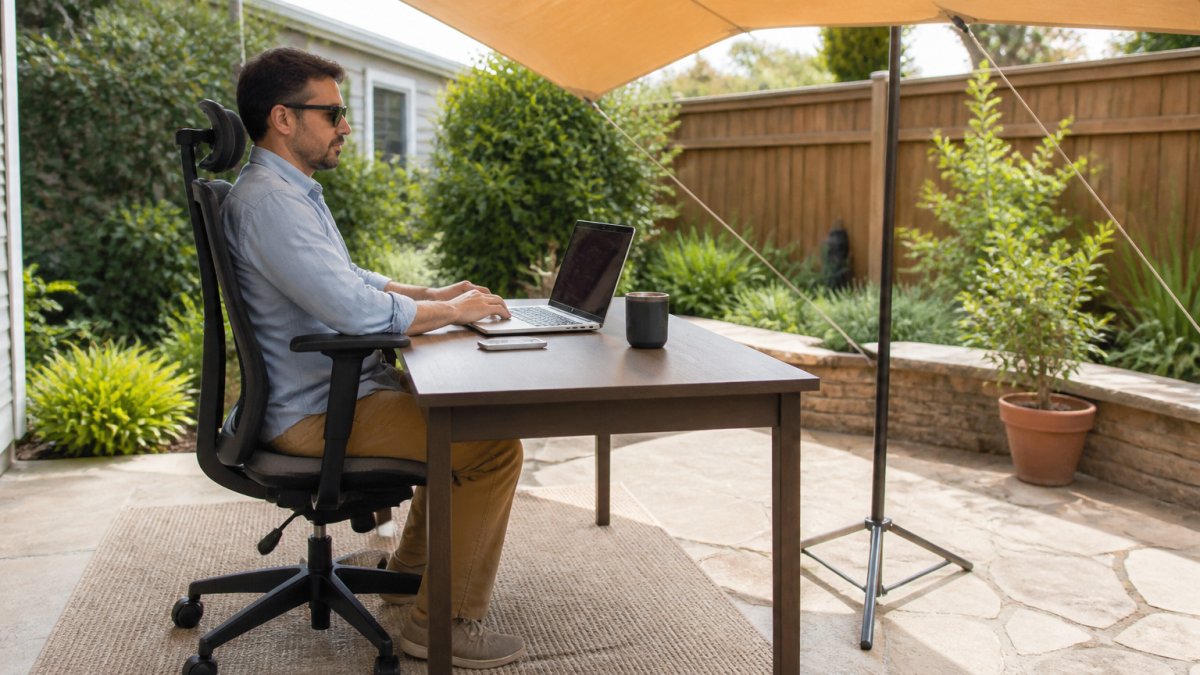
For laptop work, this is tricky. Most laptops force your screen too low, which pulls your head forward. The fix is simple: elevate your laptop. Use a small stand, a stack of books, or a laptop riser so the top of your screen sits at eye level. Your eyes should look slightly down at the screen, not straight ahead or down at an angle.
Your chair or seating matters equally. You need back support. A camping chair with a backrest works. A bench without support doesn't. Your feet should rest flat on the ground or on a footrest.
Distance from your screen should be about an arm's length away.
Arrange your keyboard and mouse at elbow height. If you're using a laptop, a separate keyboard and mouse are worth the extra weight because they let you position your screen independently from your input devices. This is the biggest ergonomic win for remote workers.
Finally, take a posture check every 30 minutes. A quick reset, shoulders back, feet flat, screen at eye level, can help you check your position.
Step 4: Use Portable Shade for Laptop Work
Portable shade solutions give you flexibility that fixed structures don't. You can reposition as the sun moves, adjust coverage based on wind, and pack everything away when you're done.
The best portable shade depends on your setup and how much coverage you need. A large umbrella provides broad coverage for you and your desk. The TopShade 60-Inch Golf Umbrella has a 60-inch arc with a gold UV-blocking coating and covers one to two people or your bag and cart. It opens with a push button, and its lightweight fiberglass frame flexes with gusts instead of snapping.

For laptop-specific shade, a clip-on shade is faster and lighter. It attaches directly to your device and moves with you. No setup time, no extra equipment to carry.
Position your shade to block the sun's current angle, not where it will be in an hour. Adjust it as needed.
Step 5: Manage Heat and Monitor Your Device Temperature
Heat is the second major obstacle to outdoor work, after glare. It affects your comfort, your focus, and your device's performance.
Keep your laptop out of direct sunlight.
For your own comfort, wear light-colored, breathable clothing. A hat blocks direct sun on your head. Take breaks in the shade every hour. Drink water.
Step 6: Take Strategic Breaks and Protect Your Eyes
Take a full break every 90 minutes. Step into shade, close your eyes for a few minutes, or move to an indoor space.
Getting Started With Your Outdoor Office Setup
Setting up an ergonomic outdoor home office takes planning. You can choose a location and arrange your workspace to suit your needs.
The process starts with location and time of day. Choose early morning or late afternoon work windows, and pick a spot with natural shade or the ability to add portable shade. From there, layer in glare solutions, ergonomic positioning, heat management, and regular breaks.
Browse the full TopShade workspace shade category to find the shade solution that fits your setup. Whether you need a laptop-specific shade, a desk shade, or a portable umbrella, TopShade offers these shade options.
Frequently Asked Questions
How do you set up an ergonomic outdoor home office on a tight budget?
Start with what you have: a stable outdoor table, a chair with back support, and the TopShade Laptop Sun Shade ($27.99). Position your monitor at eye level using books or a stand. Add breaks every 30 minutes. You don't need expensive furniture to work outside, focus on monitor height and regular movement.
Can you work outside all day without damaging your eyes or laptop?
Use a shade solution to reduce glare. Take breaks and look at distant objects. Avoid direct sunlight on your laptop screen. Position your workspace in partial shade or use the TopShade Cubicle Shade, which adjusts from 16 to 31 inches and rotates to fine-tune its position as the light changes through the day.
What's the difference between portable shade for laptop work and a regular umbrella?
The TopShade Laptop Sun Shade clips on, opens to 18 × 12 inches, and collapses to a 6-inch circle. Its flexible rod can be repositioned to block the sun as it moves.
How do you prevent screen glare when the sun is low on the horizon?
Use the TopShade Laptop Sun Shade, whose flexible rod can be repositioned to block the sun as it moves. You can also tilt your screen away from direct light or work where trees, buildings, or structures cast shade.
The biggest mistake outdoor workers make is treating their setup like it's temporary or unimportant. They work for a few hours, feel uncomfortable, and assume outdoor work just isn't for them. But discomfort isn't inevitable, it's a signal that one or more elements of your setup needs adjustment. Fix your location, add proper shade, position your screen correctly, manage heat, and take breaks. That's the difference between dreading outdoor work and actually preferring it to your indoor desk.