
Best Sun Shade for Desk and Cubicle Workspaces: 4 Options Tested
Quick Summary
A clamp-mounted desk shade is the best fit for a fixed cubicle with screen glare from overhead light, and the TopShade Cubicle & Desk Shade is the option this guide starts with. It clamps onto the desk, adjusts from 16 to 31 inches in height, and costs $46.95. For laptop or tablet work, portable clip-on shades are the better choice.
- The TopShade Cubicle & Desk Shade clamps on with a 2.2-inch clamp and adjusts from 16 to 31 inches.
- It is built from 210T polyester and weighs 1.89 lb.
- The TopShade Laptop Sun Shade opens to 18 by 12 inches and costs $27.99.
- Measure desk edge thickness, eye-line height, monitor width and window direction before buying.
- Check workplace rules on partition or ceiling attachments before installing any shade.
Table of Contents
- Why Overhead Light and Window Glare Hurt Cubicle Work
- How to Reduce Light in a Cubicle Without Blocking Your View
- Desk Shade for Computer Glare: The Options Compared
- Measuring Your Workspace Before You Buy a Desk Shade
- Mounting, Compatibility and Installation Trade-Offs
- How to Make a Cubicle Shade: DIY Options and Their Limits
- Choosing Your Desk Shade and Ordering the Right Setup
- Frequently Asked Questions
Why Overhead Light and Window Glare Hurt Cubicle Work
Last Updated: November 21, 2026
Long hours under overhead fluorescent light and a bright window behind the monitor are a common mix for office workers. Many people find that by mid-afternoon their eyes feel tired and their head aches. Desk shade can be one of the simpler ways to reduce that load without redesigning the whole workspace, and this guide walks through the options worth considering for a cubicle.
The problem usually has two sources. Overhead light hits the screen at a steep angle and bounces back into your eyes. Side light from a window or a neighbouring cubicle adds a second layer of reflection that you cannot see until you are already squinting.
Glare is not only uncomfortable. It forces you to lean, raise your brightness, and tilt your head, which adds strain across the day. Reducing the light that reaches your screen area can ease strain more than simply turning the monitor brightness up.
How to Reduce Light in a Cubicle Without Blocking Your View
Start by identifying where the light comes from. Watch your screen for an hour and note which fixtures or windows create the reflection. Most cubicles have one dominant source.
Next, decide what you can change. You may not be allowed to move overhead fixtures or change the lighting in a shared office, so a personal shade is often the practical choice. A shade that sits at the edge of your desk blocks the offending light while leaving your sightline to the monitor clear.
Keep your view of colleagues and walkways in mind. A shade that is too tall can make a cubicle feel closed in and can cut off the peripheral awareness you need in a shared space.
Desk Shade for Computer Glare: The Options Compared
Desk shades for screen glare fall into two broad groups: clamp-mounted shades that stay on a desk permanently, and portable clip-on shades for laptops and tablets. The comparison below is based on the listed specifications of the TopShade products.
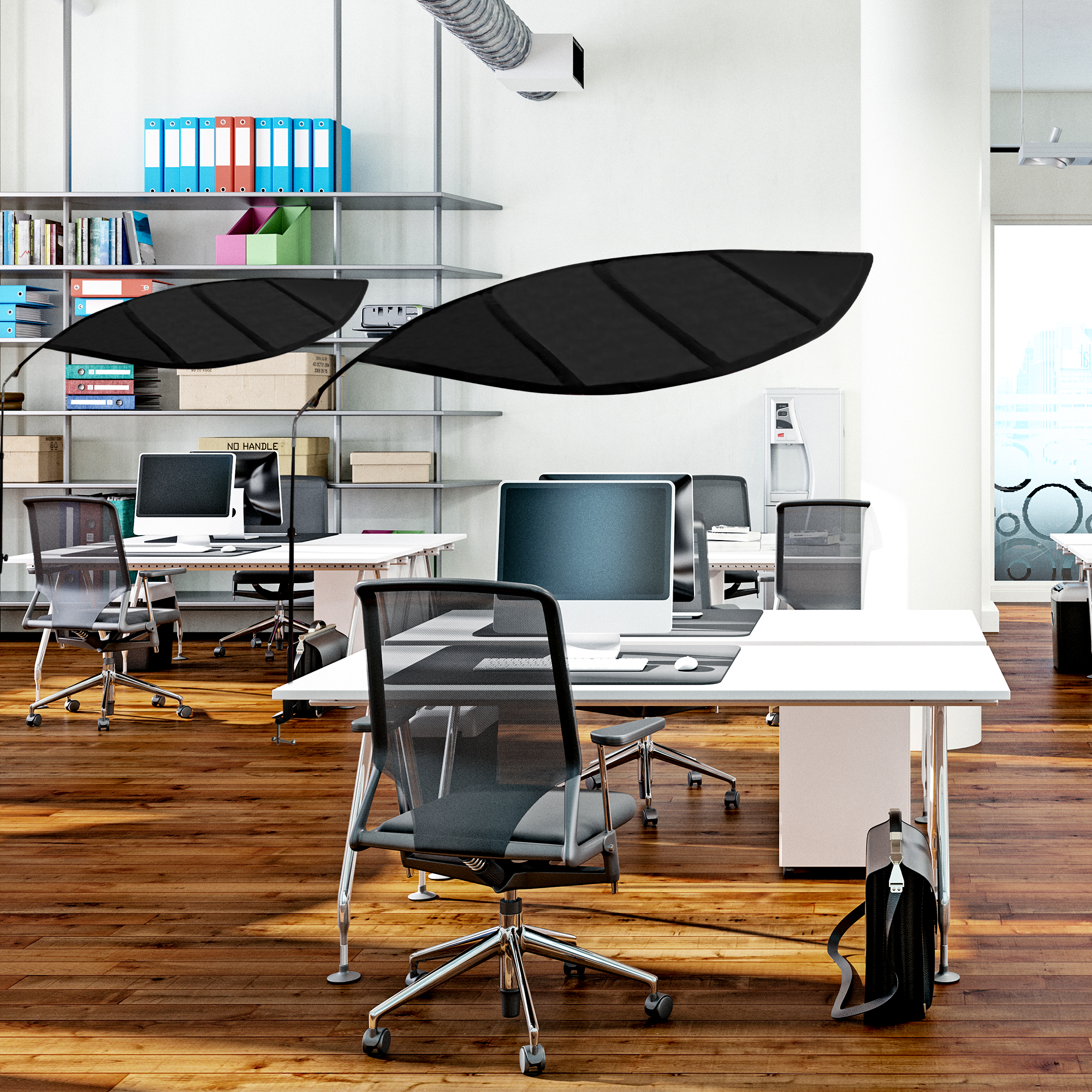
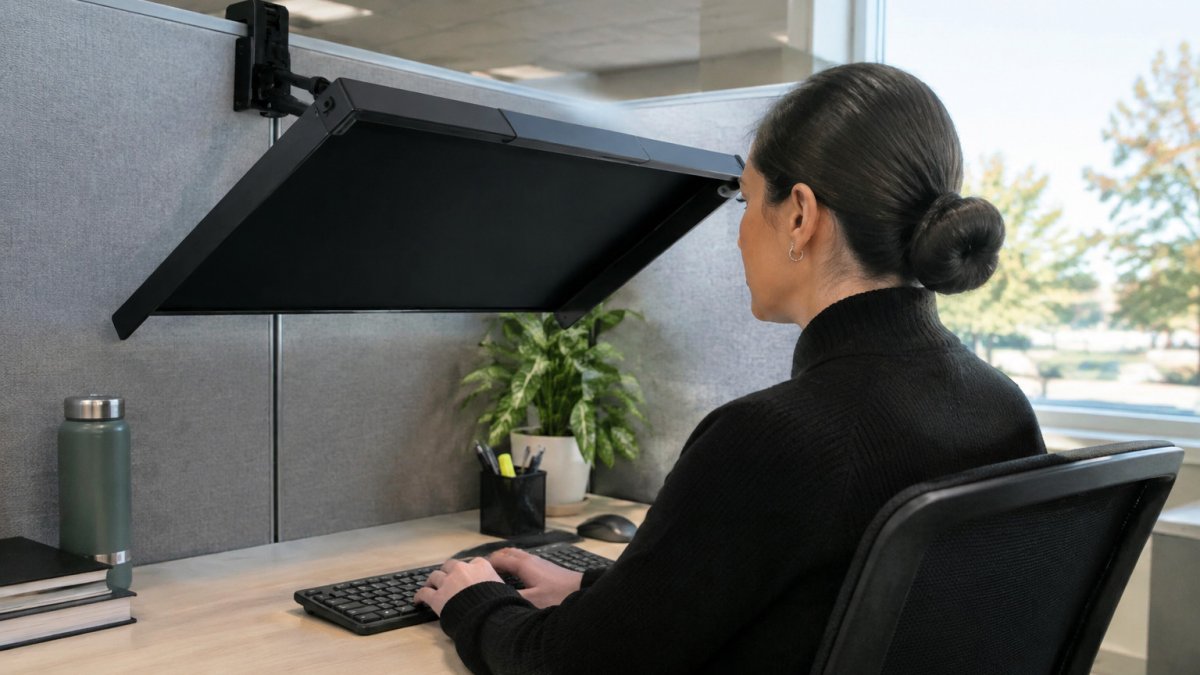
TopShade Cubicle & Desk Shade: Clamp-Mounted Adjustable Glare Shield
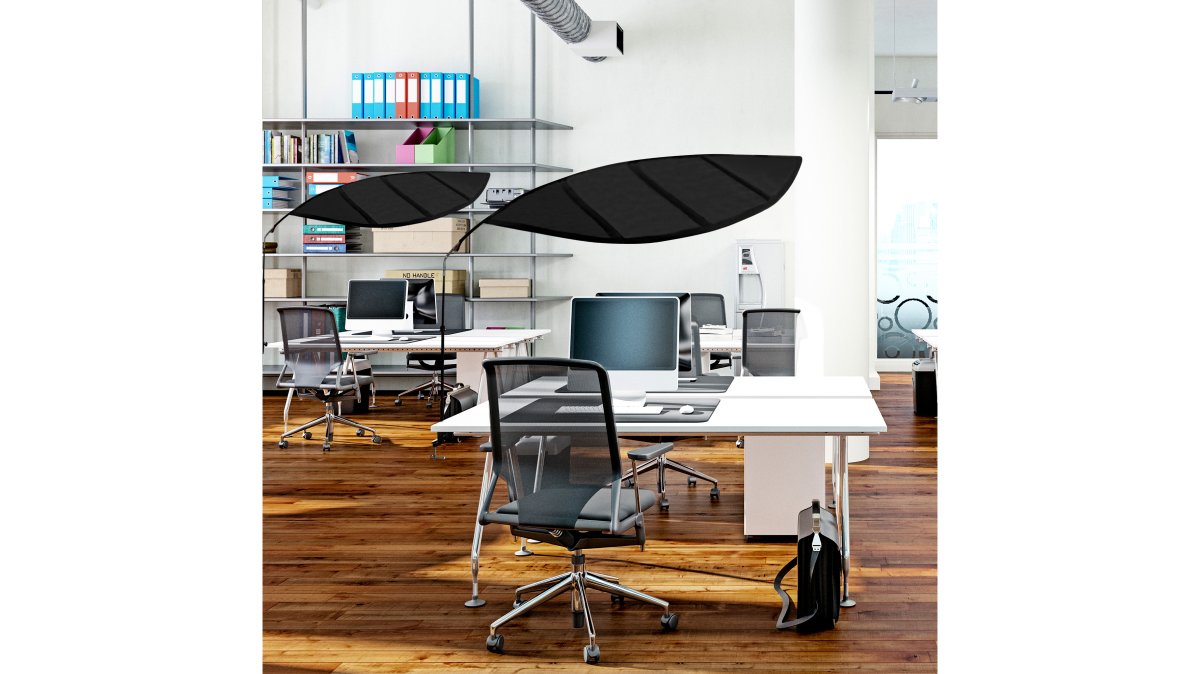
The TopShade Cubicle & Desk Shade is the option we would start with for a fixed workstation. It clamps onto the desk with a 2.2-inch clamp and adjusts in height from 16 to 31 inches. It rotates to fit as the light shifts through the day.
It is built from 210T polyester and weighs 1.89 lb. It is priced at $46.95.
Pros: Clamps onto the desk, adjusts for height and angle, and needs no rearranging of your desk items.
Cons: Permanent-style mounting is less useful if you move between desks, and the clamp needs a desk edge thick enough to grip.
Best for: Office workers with a fixed desk who want steady screen glare control.
Skip if: You work at a different desk each day.
TopShade Laptop and Tablet Sun Shades: Portable Clip-On Options
For people who work away from a fixed desk, the portable shades are the better fit. The TopShade Laptop Sun Shade opens to 18 by 12 inches and twists down to a 6-inch circle. It is priced at $27.99.
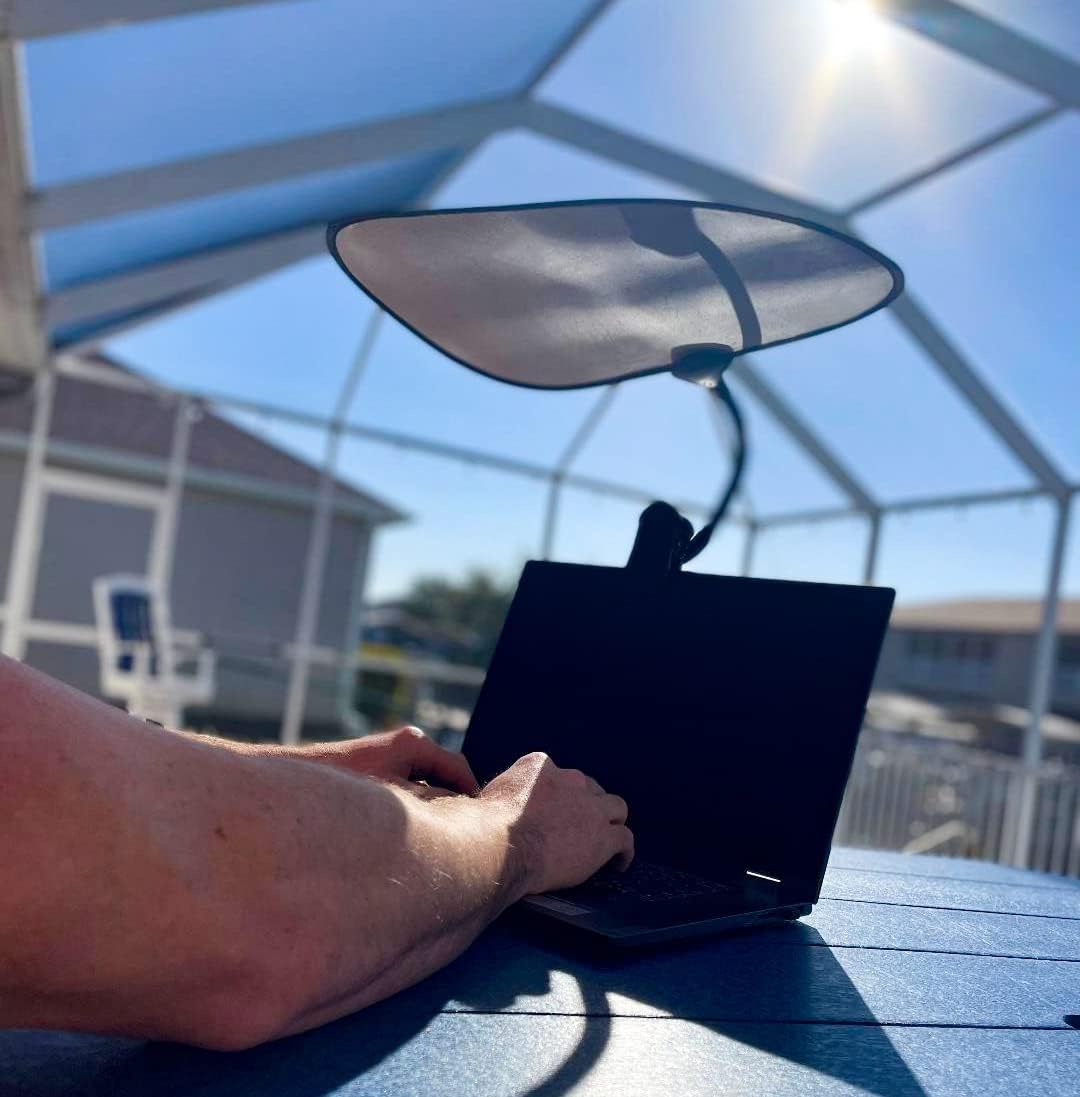
The TopShade Tablet & Phone Sun Shade opens to 13 inches, collapses to a 5-inch circle, and fits devices up to 11 inches wide. It is priced at $17.99.

Pros: Packs small and clamps or stands freestanding.
Cons: The shade is small compared with a fixed cubicle shade, so it covers less area in strong side light.
Best for: Remote workers and anyone using a laptop or tablet outdoors.
Skip if: You need coverage for a full monitor setup in a windowed office.
The two TopShade approaches differ in mounting, size and price, as summarised below.
| Product | Price | Key difference |
|---|---|---|
| TopShade Cubicle & Desk Shade | $46.95 | Clamp-mounted, height 16-31 inches |
| TopShade Laptop Sun Shade | $27.99 | Opens 18 x 12 inches, clip-on |
| TopShade Tablet & Phone Sun Shade | $17.99 | Opens to 13 inches, fits devices up to 11 inches |
Price
Measuring Your Workspace Before You Buy a Desk Shade
Most fit problems with desk shades are decided before the product arrives, at the measuring stage. A five-minute check with a tape measure prevents the two most common failures: a clamp that will not grip the desk edge and a shade that is too short to sit between your eyes and the light source.
Work through these four measurements in order and write each one down.
1. Desk edge thickness at the clamp point. The TopShade Cubicle & Desk Shade uses a 2.2-inch clamp, so the edge it grips has to fall within that clamp's opening. Measure the actual thickness of the desk top at the front or side edge where you plan to mount it, not in the middle of the desk.
2. Eye-line height from the desk surface. Sit in your normal working posture, look straight ahead at the monitor, and have someone measure from the desk surface to the height of your eyes. This is the number the shade's top edge needs to reach or exceed.
3. Horizontal reach and coverage width. Measure the width of the monitor plus the gap on each side where side light enters. A shade narrower than that span leaves a bright strip that still reflects into the screen.
4. Window direction and distance. Note which compass direction the nearest window faces and roughly how far it is from your desk. A south- or west-facing window delivers low, direct sun for part of the day, which needs a taller or more angled shade than a north-facing window that mostly gives diffuse light.
For a cubicle rather than an open desk, also measure the partition height and the clear width of the opening you work through. A shade taller than the partition can block your view of the aisle and make the space feel closed in, and it may interfere with partition-mounted accessories.
Bring the four numbers with you when you compare products. A shade that matches your desk thickness, reaches your eye line, spans your monitor width, and can angle toward your window direction will do more for glare than a larger shade that fits none of those conditions.
Mounting, Compatibility and Installation Trade-Offs
Clamp mounting depends on the desk. Check the desk edge before you commit.
If the clamp loosens over time, the TopShade Cubicle Shade Replacement Kit includes a desk clamp, post, and elbow bracket and is priced at $19.99. Keeping a spare set means a worn clamp does not force you to replace the entire shade.
Portable clip-on shades avoid mounting altogether but depend on what they can grip.
How to Make a Cubicle Shade: DIY Options and Their Limits
A homemade shade is worth considering only if you understand what you are trading away. The useful way to judge any option, bought or built, is against four criteria: coverage area, stability, adjustability, and whether it is allowed in your workplace. Here is how the main shade types stack up on those criteria.
Desk-mounted clamp shades. These clamp to the desk edge and adjust in height and rotation. The trade-offs are that they are not portable between desks and they depend on a clampable edge. The TopShade Cubicle & Desk Shade is one example in this category, priced at $46.95.
Portable clip-on shades. These win on portability and price, and they pack down small. The TopShade Laptop Sun Shade opens to 18 by 12 inches and collapses to a 6-inch circle at $27.99, and the Tablet & Phone Sun Shade opens to 13 inches and collapses to a 5-inch circle at $17.99.
Window treatments. A film, blind, or curtain addresses the light at the source and can cover a whole window, but it is rarely something an individual employee can install in a shared office, and it changes the light for everyone nearby. Treat this as a facilities request rather than a personal purchase.
Canopies and partition-mounted panels. These can block overhead light well, but they attach to the cubicle partition or ceiling, which is exactly where workplace rules tend to restrict attachments. They also tend to be the least adjustable once installed.
DIY cardboard, fabric, or spare-clamp shades. Many offices limit what can be attached to partitions, ceilings, or shared furniture, so check your workplace policy before attaching anything.
Before you build or buy anything, check three workplace rules: whether attachments to partitions or ceilings are permitted, whether the shade intrudes on an egress path or a fire sprinkler's spray pattern, and whether your employer requires approval for personal equipment at the desk. A shade that blocks light but violates a fire code or a facilities policy will not stay on the desk.
A purchased shade with a clamp and an adjustable arm suits a fixed desk. A DIY shade may suit a temporary fix while you decide on a product, or a workspace where no commercial shade fits the desk edge.
Choosing Your Desk Shade and Ordering the Right Setup
Pick the shade based on where you work. For a fixed cubicle with screen glare from overhead light, the clamp-mounted TopShade Cubicle & Desk Shade at $46.95 is the strongest match. For laptop or tablet work in bright outdoor or mobile settings, the portable clip-on models are the better fit.
Before ordering, confirm your desk-edge thickness and your height range, and decide whether you need a spare replacement kit. A tablet sun shade can be positioned above the device and angled away from the sun before you start working.
Frequently Asked Questions
How do you reduce light in a cubicle?
Start with the light source. Overhead fluorescent fixtures are often the main cause of screen glare, and a clamp-mounted shade like the TopShade Cubicle & Desk Shade ($46.95) can be positioned to reduce light coming down onto the monitor. Adjustable height from 16 to 31 inches and a rotating head let you fine-tune the angle as light shifts through the day. Pair the shade with a monitor placed perpendicular to windows, and check whether a dimmer or lower-output bulbs are allowed by your facilities team before changing anything else.
How do you make a cubicle shade?
A DIY cubicle shade usually means a stiff fabric panel on a clamp or freestanding stand. It can work for light control, but fabric sag, uneven clamp pressure on thin desk edges and limited height adjustment are common problems. If you want a ready-made option with a stable clamp and adjustable post, the TopShade Cubicle & Desk Shade is designed for workstation mounting. Its clamp fits a 2.2-inch desk edge, so measure your desk thickness first. Replacement hardware is available through the TopShade Cubicle Shade Replacement Kit ($19.99) if a clamp or bracket wears out.
Are adjustable desk shades better than fixed cubicle shades?
For most cubicle workers, yes. Light angles change through the day as the sun moves and as overhead fixtures sit at different positions relative to the screen. A shade that rotates and adjusts in height lets you fine-tune coverage rather than accepting one fixed angle. The TopShade Cubicle & Desk Shade adjusts from 16 to 31 inches and rotates to fit. Fixed shades can still work if your lighting and monitor position never change, but they offer less room to correct for glare as conditions shift.
How do you install a shade on a cubicle without damaging it?
Clamp-mounted shades avoid drilling, adhesive or wall anchors, which makes them the usual choice in leased or shared offices. Check your facilities policy before installing anything, since some buildings restrict attachments to partitions. Tighten the clamp evenly on the desk edge and confirm the post sits firmly before adding weight. The TopShade Cubicle & Desk Shade weighs 1.89 lb and uses a 2.2-inch clamp, so it suits most standard workstation edges. Avoid clamping onto laminate or glass edges that could chip.