
How to Use a Tablet Sun Shade Outdoors for Clear Screens
Last Updated: November 19, 2026
Quick Summary
A tablet sun shade blocks direct sunlight from hitting your screen, cutting glare, reflection, and heat in one move. It protects the screen's black level, which is what actually determines outdoor visibility, so you can lower brightness instead of maxing it out. Use the shade as your first line of defense, then set brightness to a comfortable level.
- A physical hood casts shadow over the display, kills the mirror effect, and keeps solar exposure off the back of the device.
- Matte protectors and anti-glare coatings only partly cut reflection and do nothing about direct sun or heat.
- Position the hood toward the light source, not straight down over the screen, and reposition it as the sun moves.
- An adjustable clamp holding devices up to 11 inches wide covers most tablets and large phones.
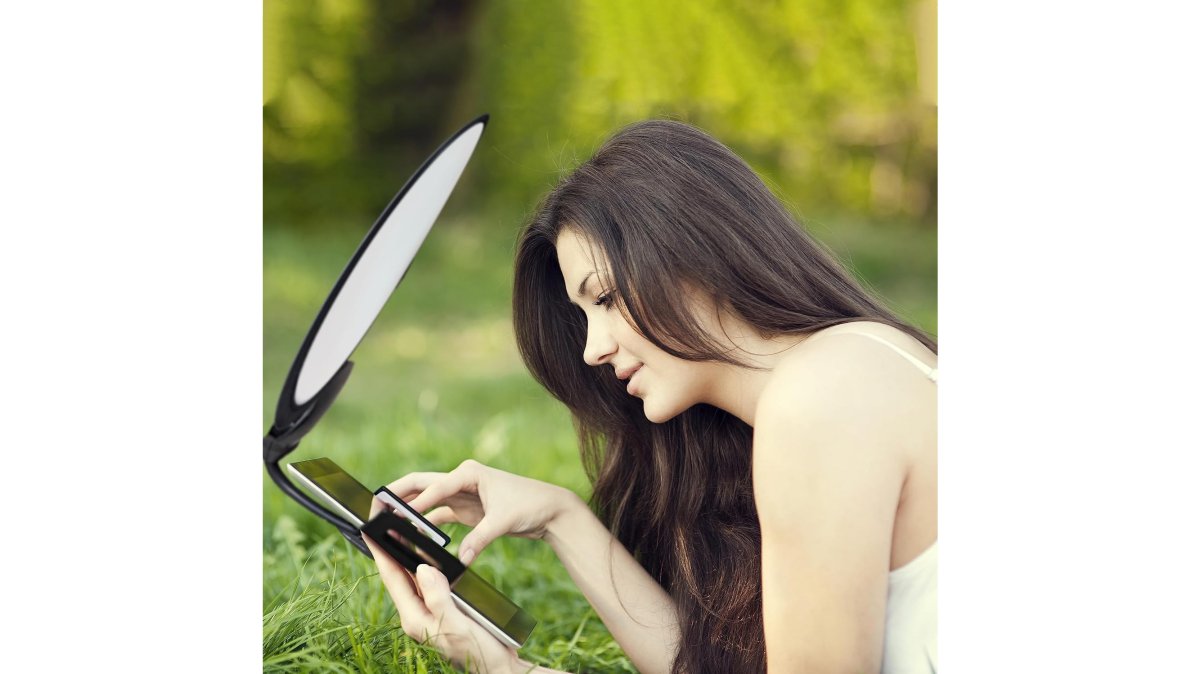
- The TopShade Tablet Sun Shade opens to 13 inches, collapses to a 5-inch circle, and costs $17.99.
Table of Contents
- Why a Tablet Sun Shade Beats Cranking Up Brightness
- How to Reduce Tablet Screen Glare Outdoors
- Tablet Screen Visibility in Sunlight: What Actually Moves the Needle
- Picking a Tablet Shade for Field Work and Travel
- Heat Management: Keeping Your Tablet Cool in Direct Sun
- Setting Up and Positioning Your Shade for the Best View
- Shop the TopShade Tablet Sun Shade for Your Next Outdoor Session
- Frequently Asked Questions
Why a Tablet Sun Shade Beats Cranking Up Brightness
A tablet sun shade is a clip-on or freestanding hood that blocks direct sunlight from hitting your screen, and it solves a problem brightness alone cannot. Outdoor workers often max out their display and still squint through reflections. Here is the core issue: screen brightness fights the sun, but a shade removes the sun from the equation entirely.
What a Shade Actually Blocks: Glare, Reflection, and Heat
Three separate problems hit a tablet outdoors, and they need different fixes.
Glare is stray light landing directly on the glass. Reflection is the image of your own shirt, the sky, or a nearby wall bouncing back at you. Heat is solar energy soaking into the black chassis and the battery behind the panel.
A physical hood addresses all three at once. It casts a shadow over the display, kills the mirror effect, and keeps direct solar exposure off the back of the device. Brightness settings touch none of these.
Shade vs. Screen Brightness, Matte Protectors, and Anti-Glare Displays
Cranking brightness to maximum is the default move, and it is the weakest one. A brighter backlight makes the panel fight harder against ambient light, which drains battery and adds heat. On a hot day, that combination is exactly what you do not want.
Matte screen protectors and anti-glare display coatings scatter reflected light, which helps with mirror-like reflections. They do nothing about direct sun striking the panel, and they cannot cool the device.
| Approach | Blocks Direct Sun | Cuts Reflection | Reduces Heat | Battery Cost |
|---|---|---|---|---|
| Max screen brightness | No | No | Adds heat | High |
| Matte screen protector | No | Partly | None | None |
| Anti-glare display coating | No | Partly | None | None |
| Clip-on tablet sun shade | Yes | Yes | Yes | None |
The practical takeaway: use a shade as the first line of defense, then set brightness to a comfortable level rather than maximum. If you also work on a laptop outdoors, a laptop sun shade that is flexible, adjustable, and portable solves the same problem on a bigger screen.
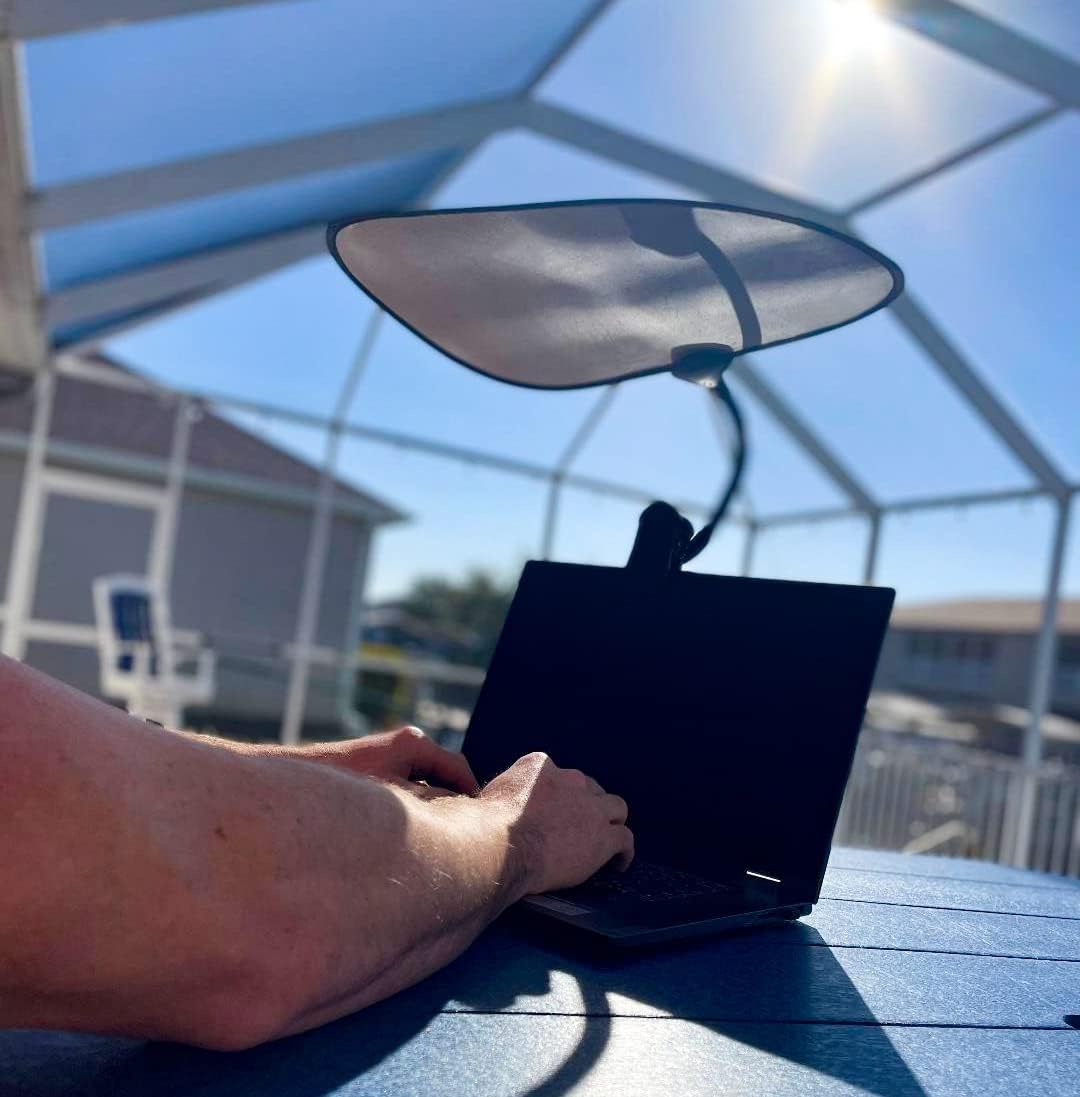
How to Reduce Tablet Screen Glare Outdoors
Start with sun angle, not brightness. Before you touch a setting, figure out where the sun is relative to your screen.
Match the shade to the environment.
- Patio or table work: Use freestanding mode or a clamp on a stable surface. Angle the hood toward the light source, not straight down over the screen. A gooseneck or rod arm lets you chase the sun as it moves.
- Job site or fieldwork: Clamp the shade to the tablet and keep the setup low and stable. Wind is the enemy here, a large hood acts like a sail. Collapse or remove the shade when you set the tablet down, and weight the base if you use freestanding mode.
- Ballfield or park: You are often seated with the tablet on your lap, so a clip-on shade with a short arm works better than a freestanding unit. Tilt the panel close to perpendicular to your line of sight; tilting it too far back invites sky reflection straight into your eyes.
- Pool deck or beach: Bright sand and water bounce light up from below, which a top hood cannot block. Combine the shade with a matte screen protector and a dark interface theme, and keep the tablet out of splash range.
Then adjust brightness. Once the shade is casting a shadow across the glass, lower brightness to a comfortable level.
Reposition as the sun moves. A fixed hood that was perfect at 10 a.m. can be useless by 2 p.m.
Watch out: a hood that is too deep or too close to the glass can restrict touch access.
Tablet Screen Visibility in Sunlight: What Actually Moves the Needle
Tablet screen visibility in sunlight depends on contrast, not raw nits. Contrast is the gap between the brightest white and the darkest black on screen. Sunlight hitting the glass raises the black level, and that is what destroys readability.
A shade helps protect the black level, which affects outdoor visibility.
Three factors decide how much you gain:
- Shade depth. A deeper hood blocks light from more angles, including low morning and late afternoon sun.
- Shade coverage. Top and both sides matter more than a visor alone.
- Viewing angle. The steeper your viewing angle relative to the panel, the more the hood helps.
What most guides miss is that a dark interface theme also raises perceived contrast outdoors. Pair a dark reading mode with a shade and the difference is immediate.
Picking a Tablet Shade for Field Work and Travel
A tablet shade for field work has to survive a bag, a truck bed, and a windy job site. That rules out anything flimsy or permanently assembled.
Start with these criteria:
- Collapsed size. It should fold small enough to live in a laptop sleeve.
- Mounting style. Clamp, clip, or freestanding, depending on whether you work at a table or on your lap.
- Adjustability. The rod or arm must reposition as the sun moves through the day.
- Device fit. Confirm the clamp opens wide enough for your tablet with a case on.
If you split time between job sites and travel, browse the outdoor shade options built for field work and travel, and for desk-adjacent outdoor setups look at the shade products designed for work settings.
Size, Mounting, and Device Compatibility
Measure your tablet's width with the case installed before you buy anything. A clamp rated for a bare device can bind on a thick rugged case.
Check three specs:
- Maximum device width the clamp accepts
- Open shade dimensions, which determine how much of the screen sits in shadow
- Collapsed footprint, which decides whether it actually travels with you
An adjustable clamp that holds devices up to 11 inches wide covers most tablets and large phones. That range handles the majority of field setups without a second purchase.
Heat Management: Keeping Your Tablet Cool in Direct Sun
Heat is the failure mode nobody plans for, and it is also where a tablet sun shade can help or hurt depending on how you use it. Tablets can slow down or dim when internal temperature rises, and direct sun can push a device past its recommended operating range quickly (If your iPhone or iPad gets too hot or too cold).
A shade helps in two ways. It blocks direct solar exposure on the front glass, and a hood that wraps over the top edge shades part of the chassis. But here is the trade-off most benefit articles skip: a close-fitting hood can also reduce airflow around the back of the tablet, and a device that cannot shed heat will run hotter even in shade.
Practical habits that keep a tablet cool outdoors:
- Keep the device out of direct sun when idle, even for a few minutes. A tablet on a picnic table in full sun can heat up faster than it cools down.
- Never leave it on a car dashboard or a metal table in full sun. Surface temperature, not air temperature, is what cooks the battery.
- Use a light-colored case rather than a black one. Dark surfaces absorb more solar energy.
- Give the back panel airflow instead of laying the tablet flat on a hot surface. Prop it up or use a stand that leaves the rear exposed.
- Position the shade to cast shadow on the screen without boxing in the device. A hood that sits a couple of inches off the glass blocks sun while still letting air move.
- Take breaks in real shade. A tree, an awning, or a vehicle cab gives the tablet a chance to shed heat that a clip-on shade cannot.
Watch out: if your tablet shuts down or shows a temperature warning outdoors, it is usually protecting its battery, not broken. Power it off, move it to shade, and let it cool before restarting.
A shade is a heat-management tool, not a heat-proofing tool. Used with airflow and periodic real shade, it keeps the device in its operating range far longer than brightness tweaks alone.
Setting Up and Positioning Your Shade for the Best View
Setup takes seconds once you know the sequence. Clamp the shade to the tablet, open the hood, then aim it at the sun rather than at the screen. The goal is a shadow across the glass, not a decorative frame.
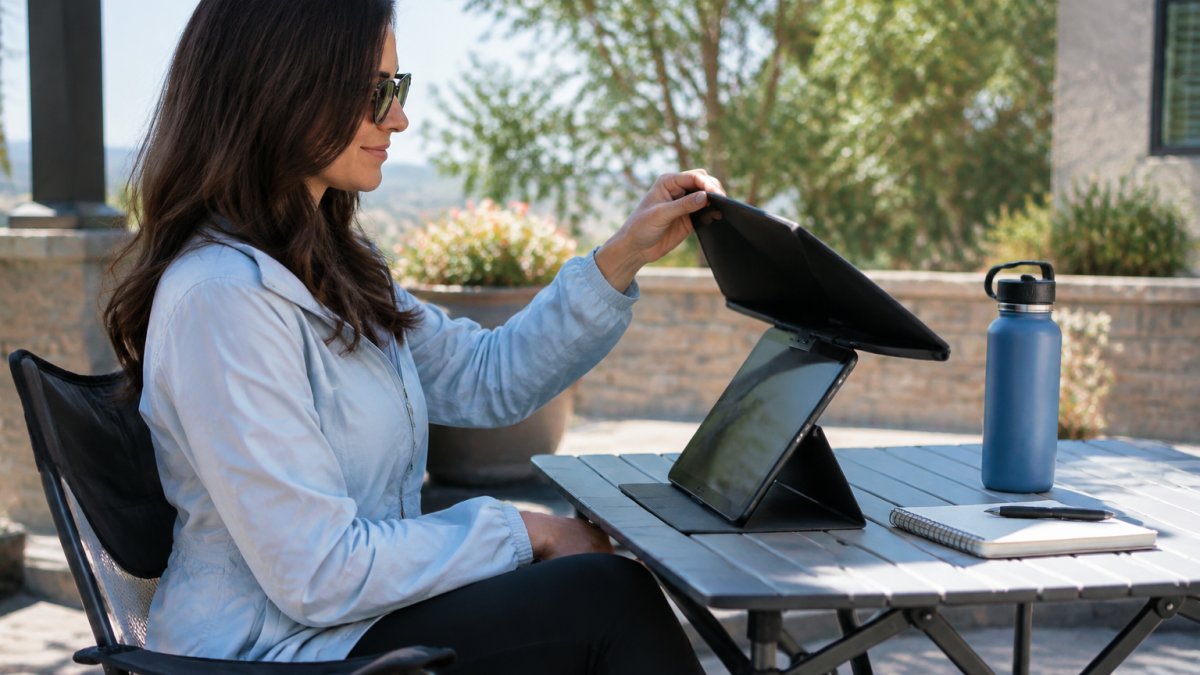
The woman is American.
Positioning rules that hold up in the field:
- Face away from the sun when you can choose your seat.
- Angle the hood toward the light, not straight down over the screen.
- Reposition as the sun moves. A rod or gooseneck arm makes this a two-second adjustment.
- Use freestanding mode on a table when clamping to the device feels unstable.
For changing light, adjust first and check brightness second. That habit alone prevents most mid-task squinting.
Shop the TopShade Tablet Sun Shade for Your Next Outdoor Session
The TopShade Tablet Sun Shade addresses the glare and heat problems described above.
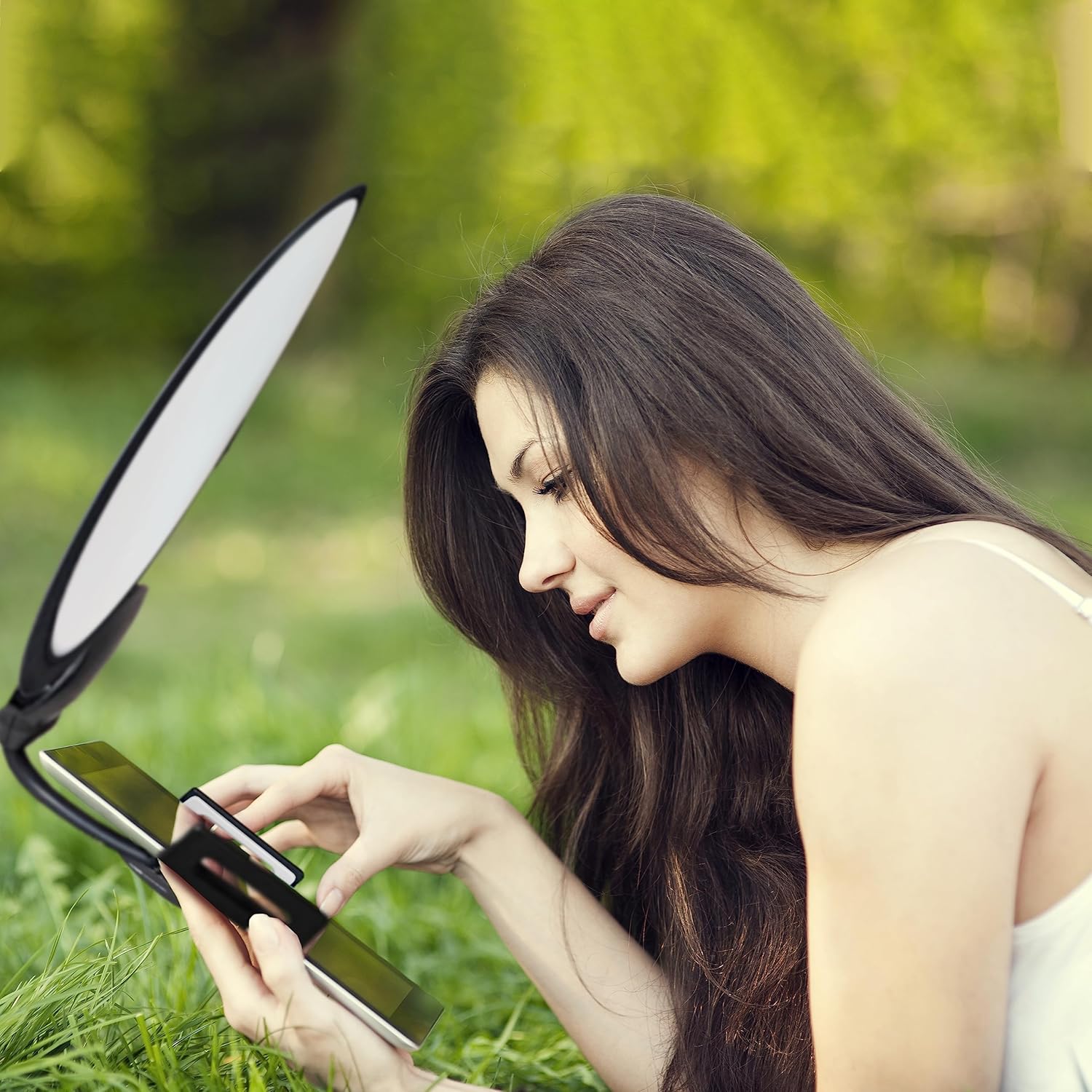
It is built for the way people actually work outside: on a patio, at a ballfield, on a job site, or beside a pool.
If you have questions before ordering, our team is happy to help. Contact us and we will point you to the right setup for your device.
Outdoor screen glare is a solvable problem, and it rarely needs a new tablet. It needs a shadow in the right place.
Frequently Asked Questions
Do tablet sun shades really make a difference outdoors?
Yes, when the shade sits between the screen and the sun. A clip-on tablet sun shade blocks direct sunlight and cuts the reflection that washes out the display, so you can read at a lower brightness setting. It will not fix a screen pointed straight into the sun, and it does not replace an anti-glare protector. Used together, the shade handles the light coming from above while the protector handles what bounces off the glass.
How does a tablet sun shade reduce screen glare?
Glare comes from light hitting the screen and reflecting toward your eyes. A shade creates a physical barrier above and around the display, so direct sunlight and stray reflections never reach the glass. That is why positioning matters: angle the shade so its edge casts a shadow across the whole screen, then tilt the tablet slightly away from the sun. Reposition the rod as the sun moves rather than tilting the screen into the light.
Does a tablet sun shade help keep a tablet cool?
It helps by blocking direct solar exposure on the device body, which is a major source of heat gain. A tablet in full sun can overheat and dim or shut down the screen. Shade alone will not cool a device that is already hot, so pair it with airflow and avoid leaving the tablet in a closed car. If your tablet shows a temperature warning, move it to shade and let it cool before using it again.
Are tablet sun shades compatible with different tablet sizes and cases?
It depends on the clamp. The TopShade Tablet & Phone Sun Shade fits devices up to 11 inches wide and mounts by clamp, clip, or freestanding stand, so most tablets and large phones fit within that width. Check your device width and case thickness before buying. A shade that opens to 13 inches gives enough coverage for a full-size tablet screen without crowding the edges.