

Article: Preventing Digital Eye Strain During Long Work Hours

Preventing Digital Eye Strain During Long Work Hours
Last Updated: November 24, 2026
Quick Summary
You prevent digital eye strain during long work hours by taking regular visual breaks, setting your screen at the right distance and height, and cutting glare from lights and windows. Most people need all three, not just one.
- Every 20 minutes, look at something 20 feet away for 20 seconds.
- Sit about an arm's length from the screen, roughly 20 to 30 inches.
- Keep the top of the screen at or just below eye level.
- Reduce glare by moving the screen and using a desk lamp instead of harsh overhead light.
- See an eye doctor if headaches, blurred vision, or eye pain keep coming back.
Table of Contents
- How Do You Prevent Digital Eye Strain During Long Work Hours?
- Use the 20-20-20 Rule for Eye Strain Every Hour
- Set Up Your Computer Screen Ergonomics Step by Step
- Cut Screen Glare With Lighting and Shades
- When Computer Glasses for Eye Strain Are Worth Considering
- Build a Realistic Break Plan and Daily Eye-Care Checklist
- Book Your Eye Exam If Symptoms Persist
- Frequently Asked Questions
How Do You Prevent Digital Eye Strain During Long Work Hours?
You prevent digital eye strain during long work hours by taking regular visual breaks, setting your screen at the right distance and height, and cutting glare from lights and windows.
Digital eye strain is a common complaint among office workers (Most Americans Experience Digital Eye Strain from Overexposure to Computers According to...).
The steps below cover breaks, screen setup, glare control, and when to see an eye doctor.
Use the 20-20-20 Rule for Eye Strain Every Hour
The 20-20-20 rule is a simple break habit. Every 20 minutes, look at something about 20 feet away for at least 20 seconds (Computer vision syndrome).
Set a timer or use a calendar reminder so you do not forget.
Here is a simple break plan for a long workday:
- Every 20 minutes: Look at something 20 feet away for 20 seconds.
- Every hour: Stand up, walk for two minutes, and refocus your eyes.
- Every two hours: Take a longer break of five to ten minutes away from all screens.
Watch out: Breaks help only if you actually look far away.
Here is a simple break plan for a long workday, drawn from the steps above.
| Break | Frequency | What to do |
|---|---|---|
| 20-20-20 rule | Every 20 minutes | Look at something 20 feet away for 20 seconds |
| Stand-up break | Every hour | Stand up, walk for two minutes, refocus your eyes |
| Longer break | Every two hours | Take five to ten minutes away from all screens |
Set Up Your Computer Screen Ergonomics Step by Step
Good screen setup reduces strain on your eyes, neck, and shoulders at the same time. Start with the screen distance, then the height, then the angle.
A common approach is to sit about an arm's length from the screen, roughly 20 to 30 inches. The top of the screen should sit at or just below eye level, so your gaze drops slightly when you look at the middle of the display.
Monitor height and viewing distance
Place the monitor so the top edge is at or slightly below eye level. Tilt the screen back a few degrees so it faces you.
Use these checks to confirm your setup:
- Your neck stays relaxed, not tilted up or down.
- Your shoulders stay loose, not hunched.
- Text looks sharp without you leaning in.
If you use a document holder, place it at the same height and distance as the screen. This keeps your eyes from jumping between far and near focus all day.
Setting up multiple monitors, laptops, and hybrid workstations
Many people now switch between a laptop, one monitor, and a bigger display. Each setup needs a slightly different fix.
- Laptop only: Raise the laptop on a stand or stack of books so the top of the screen sits near eye level. Pair it with an external keyboard so you do not hunch.
- Two monitors: Place your main screen directly in front of you. Keep the second screen at the same height and angle, and turn your head only slightly to use it.
- Hybrid days: Keep a consistent setup at home. Shifting between a bad couch position and a proper desk is a common cause of neck and eye strain.
Watch out: Angled or side-by-side monitors force your eyes and neck to work harder. If you can, keep your main work directly in front of you.
Cut Screen Glare With Lighting and Shades
Glare makes your eyes work harder because they must adjust to bright spots on the screen. The fix is to reduce light hitting the display, not to turn up the brightness.
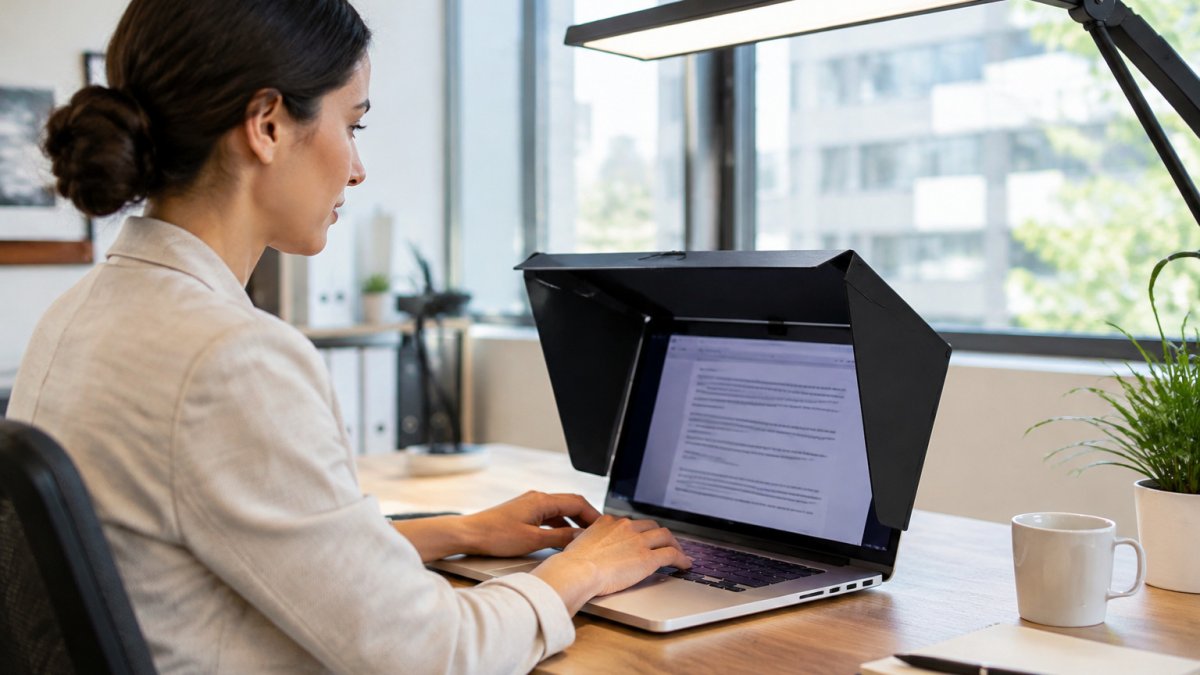
Start with these steps:
- Move the screen. Place it so windows sit to the side, not behind or in front of you.
- Lower overhead light near the screen. Harsh fluorescent or LED lights often create reflections. Use a desk lamp for task light instead.
- Add a desk shade. A clamp-on shade can block light right where it hits your screen. The TopShade Cubicle & Desk Shade - Adjustable Glare Shield ($46.95) clamps to your desk, adjusts from 16 to 31 inches, and rotates as the light changes through the day.
- Use a laptop shade outdoors. If you work in a bright spot, a clip-on shade can cut sun glare on the display. The TopShade Laptop Sun Shade - Collapsible Clip-On Glare Shield ($27.99) opens to 18 × 12 inches and folds down to a 6-inch circle for travel.
Many people also find it useful to browse the full range of workspace shades for cubicles, desks, laptops, and tablets before picking one.
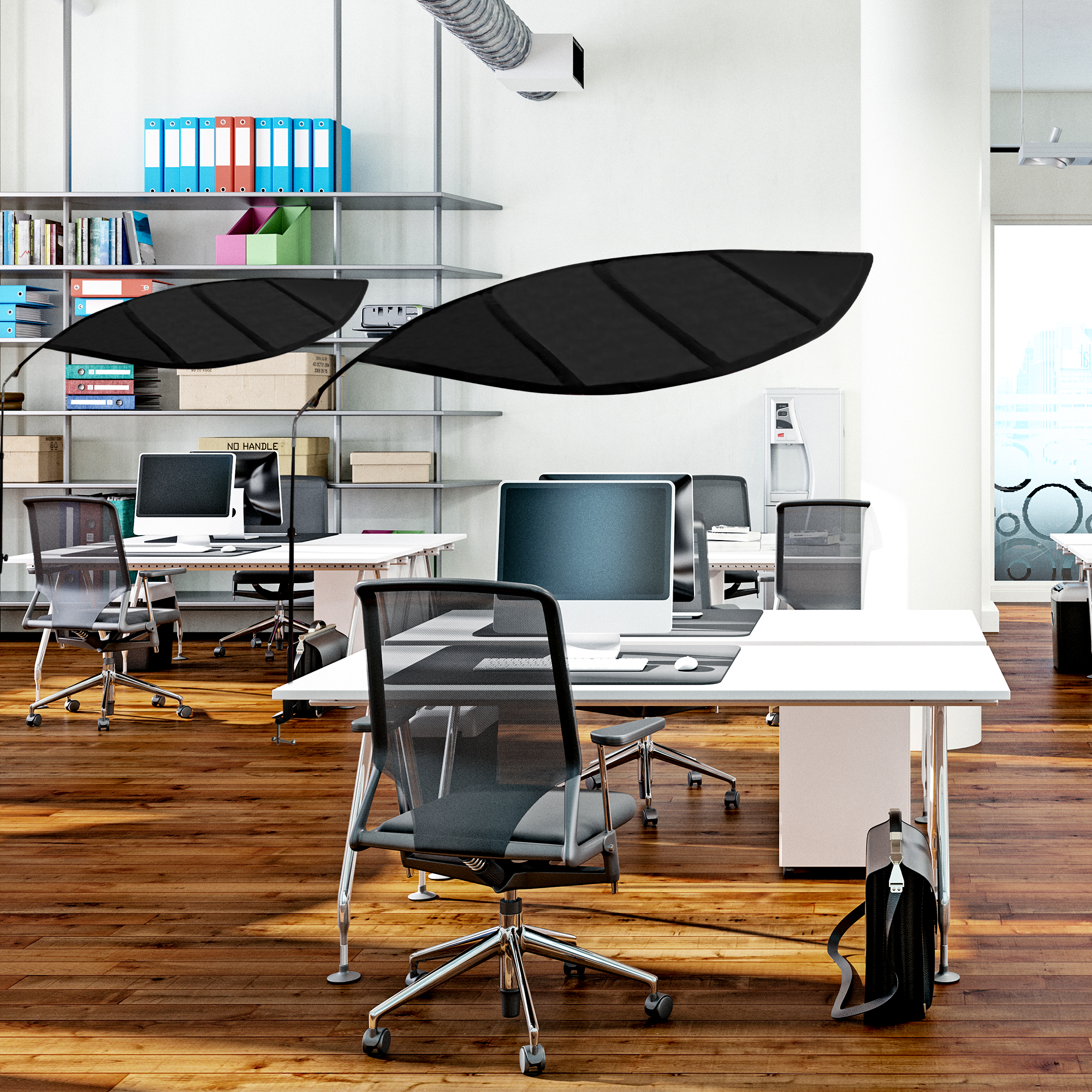
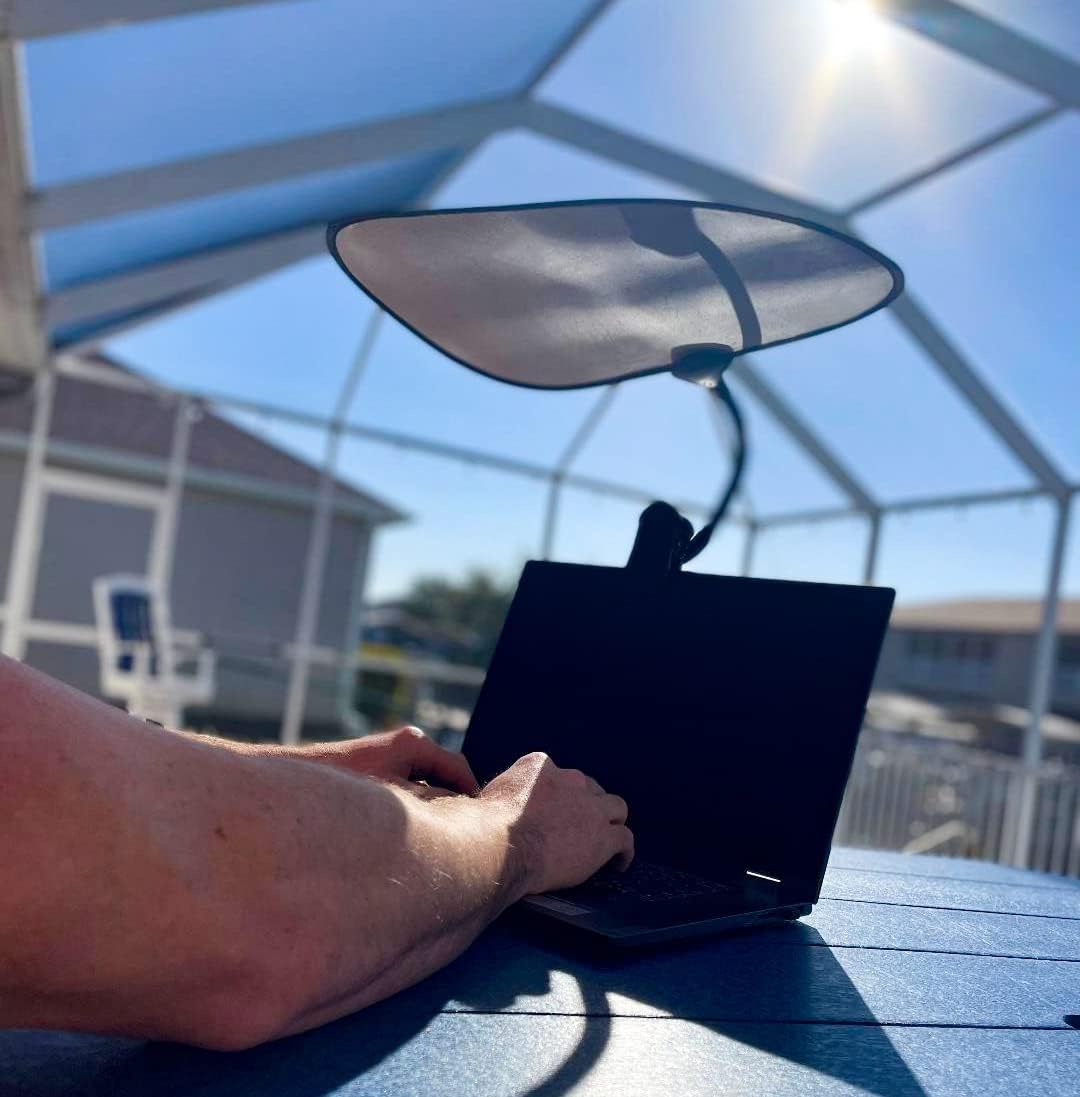
For a broader look at workspace options, see our comparison of desk shade options for cubicles and desks.
When Computer Glasses for Eye Strain Are Worth Considering
Computer glasses are built for the distance and angle of a screen, and they can help some people. The key is knowing which problem they solve and which they do not.
What computer glasses can help with
- Focus at screen distance. If you wear reading glasses or progressives, a pair set for the 20-to-30-inch screen range can reduce the effort of holding focus all day. This is the most common reason an eye doctor recommends computer glasses.
- Reduced glare and reflections. Anti-reflective coatings cut reflections from overhead lights and windows, which can make the screen feel calmer to look at.
- Comfort for people who already wear correction. If your everyday glasses are tuned for driving or reading, a screen-specific pair can fill the gap.
What blue-light filters can and cannot do
Display filters, blue-light glasses, and night-mode settings reduce the amount of short-wavelength light reaching your eyes, which can make the screen look warmer and sometimes feel less harsh at night. Research on whether blue light from screens causes eye damage is still limited (Digital Devices and Your Eyes).
A practical way to separate the two concerns:
- Eye comfort during the day: treat blue-light filters as optional. Adjust brightness, contrast, and color temperature first, and add a filter only if the screen still feels harsh.
- Sleep at night: if screen use close to bedtime affects your sleep, a warmer display setting or a blue-light filter in the evening is a reasonable step. That is a sleep question more than an eye-strain question.
Watch out: Blue-light glasses are not a substitute for breaks, screen distance, and glare control. If strain persists after you fix those, the glasses are unlikely to be the missing piece.
When to ask an eye doctor
Computer glasses are worth discussing if you struggle to focus at screen distance, if you already wear correction and still squint, or if symptoms continue after you have adjusted your workspace and breaks. A comprehensive eye exam can confirm whether you need a screen-specific prescription and rule out other causes. Treat filter claims with caution and ask your eye doctor what makes sense for your eyes.
Build a Realistic Break Plan and Daily Eye-Care Checklist
A break plan only works if it survives a busy day. The 20-20-20 rule is a good default, but most people abandon it by mid-morning because it competes with meetings, deadlines, and deep-focus work. The fix is to build breaks into the structure of your day instead of relying on willpower.
Make the 20-20-20 rule survive a real workday
The rule is simple: every 20 minutes, look about 20 feet away for at least 20 seconds. The hard part is remembering. A few patterns that hold up better than a single timer:
- Tie the break to something that already happens. Look away every time you send an email, finish a paragraph, or wait for a page to load. These micro-pauses add up without a timer.
- Use a timer you cannot ignore. A phone timer, a browser extension, or a smartwatch buzz works better than a sticky note. Set it for 20 minutes and reset it each time it fires.
- Pair the eye break with a body break. Stand, roll your shoulders, and look out a window. The postural reset makes the eye break easier to remember.
Fit eye rest into meetings and focused work
Long meetings and deep-focus blocks are where breaks usually disappear. A few adjustments help:
- During video calls, look away during listening stretches. When someone else is talking, shift your gaze to a far point for a few seconds. You stay engaged without staring at the screen.
- In in-person meetings, sit where you can look across the room. A longer sight line gives your eyes a natural rest between glances at notes or a laptop.
- In focused work, use a 50/10 rhythm. Work for about 50 minutes, then take a 10-minute break away from the screen. This is easier to protect than a 20-second pause every 20 minutes when you are in flow.
Watch out: A break only helps if you actually change focus distance. Scrolling on your phone during a break keeps your eyes in the same close-focus state and does not relieve strain.
Daily eye-care checklist
Use this as a short end-of-day review rather than a perfect routine:
-
Screen about an arm's length away (roughly 20 to 30 inches).
-
Top of the screen at or just below eye level.
-
Screen angled away from windows and overhead glare.
-
Stop and rest if symptoms worsen instead of pushing through.
Most people find that two or three of these habits done consistently beat a full overhaul attempted once. Pick the one or two that fit your day, keep them for a week, then add another.
Book Your Eye Exam If Symptoms Persist
Eye strain from screens is common and usually improves with better habits. But some symptoms need a professional check.
See an eye doctor if you notice any of these:
- Headaches that keep coming back, even after setup changes
- Blurred vision that does not clear after a break
- Eye pain, redness, or sensitivity to light that lasts
A comprehensive eye exam can check whether you need updated glasses or contacts. It can also rule out other causes of symptoms.
Your eyes do a lot of work on long days. Give them the breaks, setup, and light control they need, and they will usually feel much better by the end of the week.
Frequently Asked Questions
Can too much screen time cause eye strain?
Yes. Long stretches of close focus on a screen fatigue the eye muscles that hold focus, and people blink less while looking at displays, which dries the eye surface. The result is often tired, burning or blurry eyes, along with headaches and neck tension. Regular breaks, a correctly placed screen and reduced glare usually ease these symptoms within a few days. Symptoms that persist after changing your setup should be checked by an eye doctor.
How often should I take a break from looking at a screen?
Follow the 20-20-20 rule: every 20 minutes, look at something about 20 feet away for at least 20 seconds. These short visual breaks let the focusing muscles relax. For longer workdays, add a standing or walking break every hour or two, and consciously blink fully while you work. Setting a recurring timer makes the habit easier to keep when deadlines get busy.
Should I wear computer glasses if I look at a screen all day?
Computer glasses can help people who notice strain at typical screen distance, especially if they wear no correction or have a prescription that is not optimized for intermediate distances. Ask an eye doctor to check your vision at arm's length and mention your daily hours. Glasses do not replace breaks, good lighting or proper monitor placement, so use them alongside those habits rather than instead of them.
When should I see an eye doctor about screen-related eye discomfort?
See an eye doctor if eye discomfort, headaches or blurred vision continue after you have adjusted your monitor, lighting and break habits for two to three weeks. Seek care sooner if you notice sudden vision changes, eye pain, double vision or flashes of light. A comprehensive eye exam can identify uncorrected vision problems or dry eye conditions that screen use may be making worse.